




 10 minutes
 Share
ShareHow to Download Cryptal’s App?
Cryptal offers users a mobile app designed for convenient crypto trading, available on both iOS and Android devices.
The updated app brings enhanced functionality and a more user-friendly interface, allowing users to buy and sell crypto easily without requiring extra effort or prior experience.
In this blog, we’ll explain how and where you can download the Cryptal app step by step.
Downloading Cryptal’s App - Instructions:
You can find the Cryptal app on both the App Store and Google Play. However, make sure that your device's region is set to Georgia, otherwise the app may not appear in search results. Once that’s done, follow these steps:
- Search for Cryptal in the store
- Click Download or Install
- Wait for the app to finish downloading
- Open the App
- Log in or sign up
That’s it, your Cryptal mobile app is ready for your crypto journey!
How to Change Region/Country?
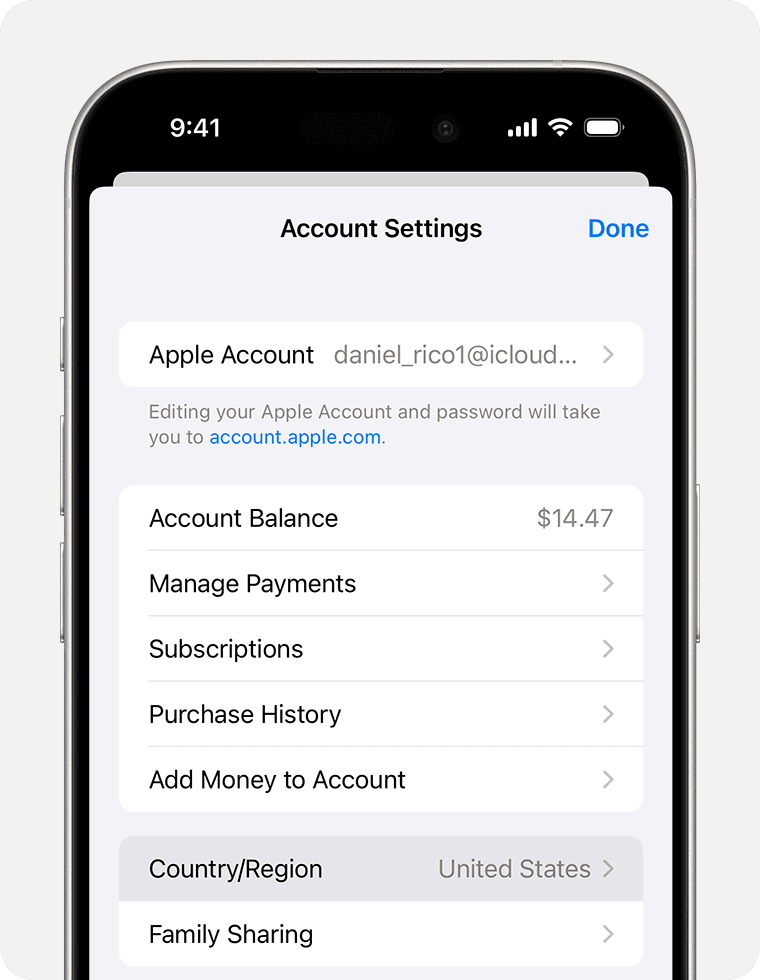
To set your device region to Georgia on an iOS device (iPhone or iPad) so you can download the Cryptal app, follow these steps:
iOS Device
- Open the Settings app
- Tap your name, then tap Media & Purchases
- Tap View Account
- Tap Country/Region
- Select your new country or region
- Tap Change Country or Region
- Tap your new country or region, then review the Terms & Conditions
- Select a Payment method and enter new payment information (Valid for Georgia)
Detailed instructions here.
Android Device
To change the country or location on an Android device so you can download the Cryptal app, you need to physically be in Georgia and add a valid Georgian payment method. Once these requirements are met, follow these steps:
- Open the Google Play Store app
- Click the profile icon at the top right
- Tap Settings
- Click on General
- Follow Account and device preferences
- Choose Country and profiles
- Indicate the Country - Georgia
- Add a Payment Method

Detailed instructions here.
What functions does Cryptal’s App have?
The Cryptal mobile app includes almost all the core features available on the platform’s web version:
- Convert - Instantly swap one crypto asset for another without extra steps — for example, convert Bitcoin (BTC) to Ethereum (ETH), or Litecoin (LTC) to Solana (SOL) with just a few taps.
- Buy with Card – Purchase crypto directly using your bank card, without needing to pre-fund your Cryptal account, just like shopping on Amazon or any other e-commerce platform.
- Balance Top-Up - Easily deposit funds into your account through the app using your preferred method and keep your balance ready for trading.
- Crypto Storage - Store your digital assets safely and securely within the app. Access your portfolio instantly, right from your mobile device, anytime you need.